By Naseef Umar, Founder and CEO, AutoSmart. Last reviewed October 16, 2026.
A 5S audit app is a mobile tool that records workshop 5S scores and photos digitally, so each score carries a date, an area and an auditor and can be trended over time. Most workshops already score 5S. Few can say whether Sustain improved over the last six months. 50% of plants still rely on manual frontline input (L2L, 2026), and paper 5S sheets sit squarely in that group. This article explains what an app adds, why paper scores never become trends, and how to move across without losing history. It also shows how 5S audits in a dealer network can sit beside standards results.
Key Takeaways
A 5S audit app stores each score with an area, date, auditor and photo, which is what makes a trend possible.
Paper 5S scores stay untrended because sheets are filed locally, retyped into Excel and scored on drifting scales.
5S audit software can hold 5S results beside standards audit results when both share one site hierarchy, one scale and one action log.
A useful 5S audit example is a local photo with a score and a one-line reason, for each score point.
A 5S audit app does not fix staged audits or inconsistent scoring; calibration and unannounced visits still matter.
What does a 5S audit app give you that a paper form does not?
A 5S audit app gives a workshop what a paper form cannot: scores stored by area and date, automatic weighted calculation, time-stamped photo evidence and a history that can be trended. Paper records one visit. An app records the sequence of visits, which shows whether Sustain is holding. Over 80 per cent of manufacturers say pressures are accelerating digital transformation (Rockwell Automation, 2025).
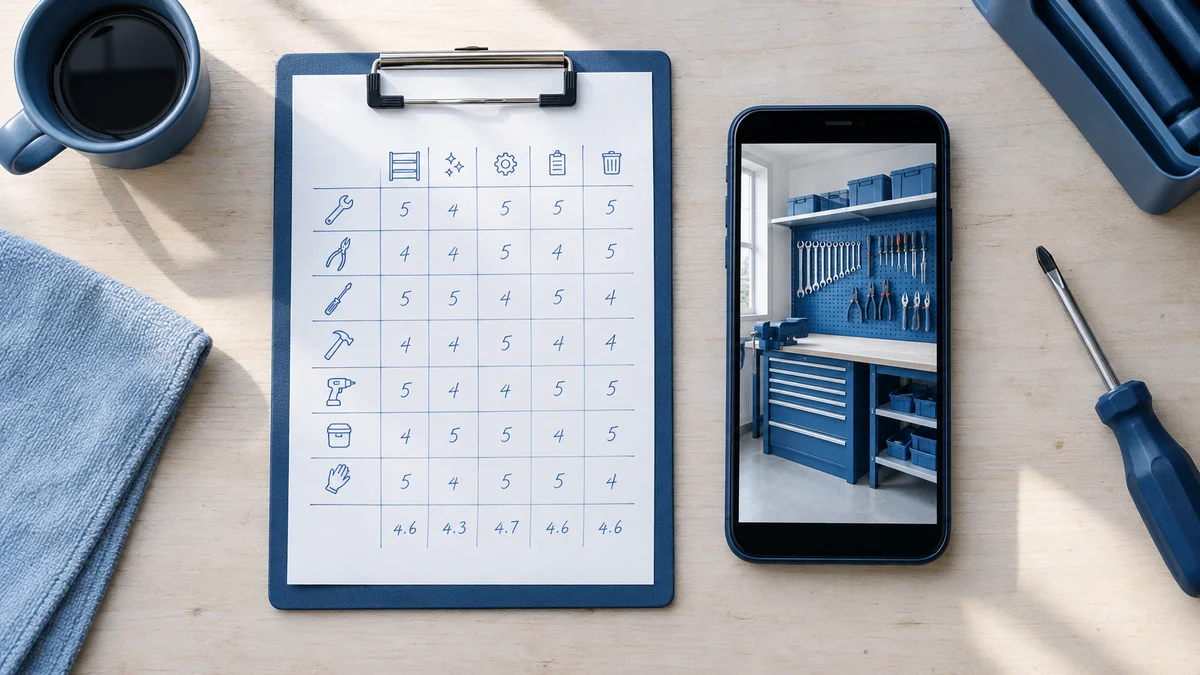
A paper 5S scoresheet and a smartphone showing a photo of a tidy tool bay side by side on a workbench
The difference is not the checklist. The questions can be identical on both. The difference is what happens to the answers after the auditor walks out of the bay.
Capability
Paper form
5S audit app
Score calculation
Manual tally, errors possible
Automatic, weighted, applied identically to every auditor
Photo evidence
Separate camera roll, matched later
Captured live, date and time stamped
History
Previous sheets in a binder
Prior scores for the same area on screen
Findings
Written on the sheet, chased by email
Converted to tracked actions with owner and due date
Management view
Built by hand each cycle
Drill-down from network to site to area
What field features matter in a workshop
Bays and parts stores have poor signal. An offline-first app keeps scoring when the connection drops and syncs later. Live photo capture, with a timestamp and geotag, stops old or unrelated images from being submitted as evidence. Showing last quarter's failures on the same screen as the current audit tells the auditor at once whether a repeat finding was fixed. Our guide to mobile audit software for dealer networks covers offline sync in more detail.
Our data: AutoSmart's customer data shows audit cycle compression from 10 days to 3 days after moving to a digital audit platform. This is an audit cycle metric, not a 5S-specific result.
Why do 5S scores recorded on paper never get trended?
Paper 5S scores never get trended because each sheet stays in its area, someone has to retype the numbers into Excel, and scales, area names and auditors differ from sheet to sheet. A trend needs the same area ID, scale and date on every record. Almost 70% of manufacturers name data problems as the biggest obstacle to AI (Deloitte, 2025).
A stack of filed paper audit sheets in a binder on a shelf beside a laptop with a blank spreadsheet
The failure is mechanical, not motivational. Nobody decides to skip the trend. The process makes it too expensive to build.
The sheet is filed where it was filled. A scoresheet ends up in a binder in the service office, one per area per visit.
Retyping is a separate job. 65% of frontline supervisors waste up to four hours per shift re-keying and reconciling data by hand (L2L, 2026). Paper 5S scores are the first thing to be dropped from that queue.
Area names drift. "Bay 3", "Workshop B3" and "Mech 3" cannot be joined into one series.
Scales drift. Two auditors give a 3 for different reasons, so a change in score may be a change in auditor.
Audits are staged. Areas get tidied before a known visit, and a paper score carries no photo to challenge it.
Data that exists but is not usable is common. Only 43% of collected data is being used effectively (Rockwell Automation, 2026). L2L's CEO puts the cause plainly: "Manufacturing has a data architecture problem, not an effort problem" (John Davagian, L2L, 2026).
These surveys cover manufacturing in general. Workshops and dealerships are not their stated sample, so read them as context, not as a measured 5S result.
Can 5S audit software keep scores alongside your standards audit results?
Yes, 5S audit software can keep scores beside standards audit results when both audits share one site and area hierarchy, one scoring scale and one corrective-action log. A field audit manager can then compare a workshop's 5S score with its Dealer Operating Standards (DOS) result in one view. 58% of manufacturers say their current tech stacks create more friction than clarity (L2L, 2026).
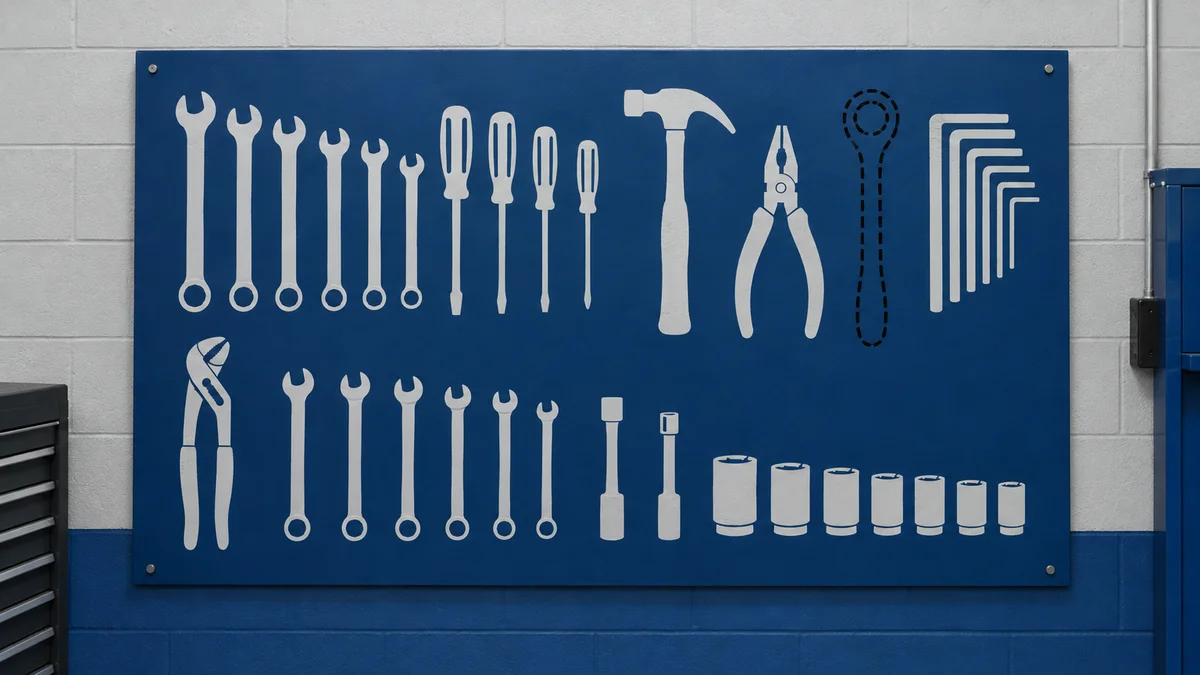
A technician's tool shadow board with one outlined gap where a wrench is missing
Most 5S tools treat 5S as a standalone checklist. For a network, that creates a second file and a second report. The goal is the opposite: one system where a failed shadow board and a failed brand standard sit in the same record for the same site.
What has to be shared
Element
What to share
Why it matters
Site and area structure
The same dealer, location and workshop area IDs for 5S and standards audits
Scores join into one series per area
Scoring scale
One weighting logic configured once
Comparisons are like for like
Action log
One Action Plan Tracker for every failed item, with Person-In-Charge (PIC), due date and closure evidence
No separate chase list for 5S findings
Evaluation cycle
A recurring audit period, such as monthly or quarterly, applied to both audit types
Trends compare matching periods
Reporting
One drill-down dashboard from network to site to finding
Management reads one picture
A corrective action is a tracked task with an owner, a due date and closure evidence that fixes a failed audit item. Under manual follow-up, the gap is visible in the numbers. Each audit generates 8 to 20 findings, and each finding can need 4 to 5 follow-ups before closure, according to AutoSmart's own pain-point research with network audit teams.
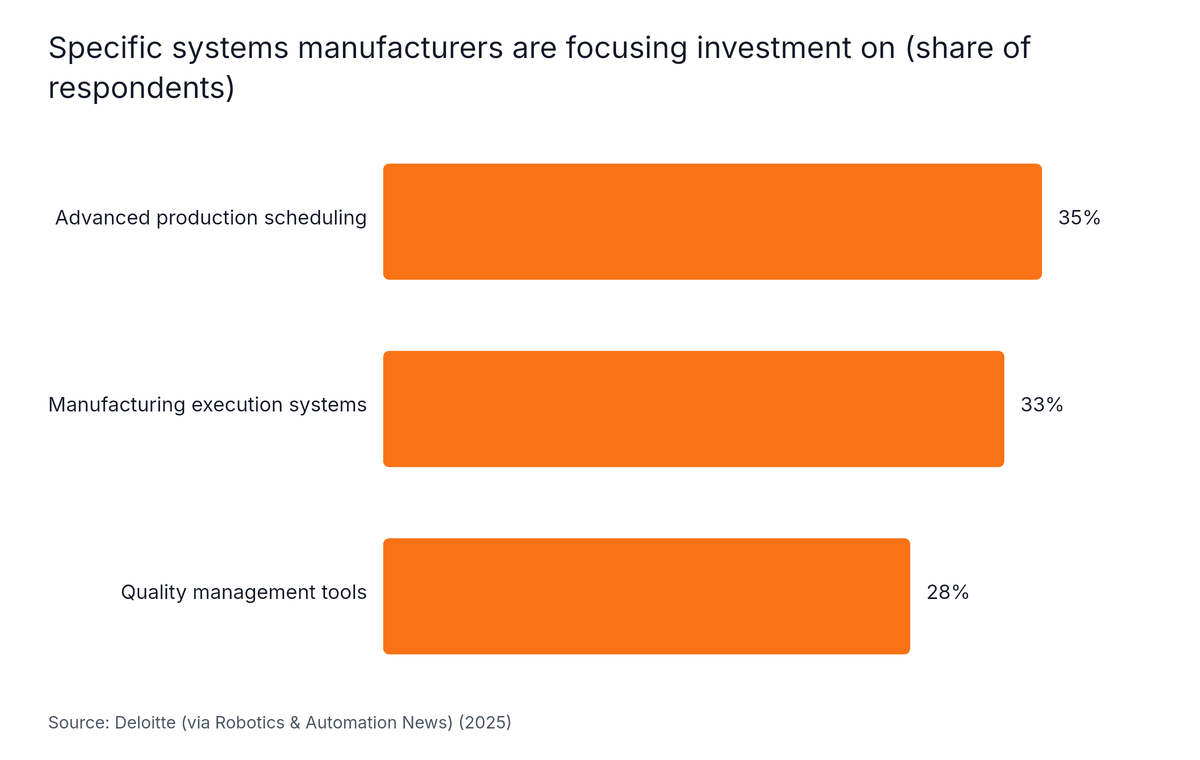
The business case is already in motion. In Deloitte's 2025 survey, 35% of executives focus system investment on advanced production scheduling, 33% on manufacturing execution systems and 28% on quality management tools (Deloitte, 2025).
Horizontal Bar chart: Specific systems manufacturers are focusing investment on (share of respondents). Highest: Advanced production scheduling at 35%.
Only 9% of respondents can find the root cause of a shop-floor issue immediately when data sits in silos and on paper (L2L, 2026). For the wider picture, see how one platform runs DOS, 5S and mystery shopping.
What makes a useful 5S audit example for your workshops?
A useful 5S audit example pairs one photo with one score and a one-line reason, for each score point on each S. A photo anchor is a reference image showing what a 2 and a 4 look like in your own bay. 61% of firms are still developing a quality digitization strategy (Verdantix, 2026), so most teams build this reference set from scratch.
Two printed photos of a workshop bay, one cluttered and one organised, with score cards 2 and 4 beside them
Generic galleries of tidy factory floors do not help a technician in a service bay. Use your own bays, your own tools and your own bins.
A worked scoring table
S
Score 1 (bad)
Score 5 (good)
Sort
Broken parts and old oil drums beside the bay with no red tags
Only items needed this week are present; everything else is red-tagged and logged
Set in Order
Tools piled on the bench; no fixed location
Shadow board with every outline filled; bins labelled with min and max
Shine
Oil film on the floor, dirty lifts
Floor and lift clean; cleaning checked at shift end
Standardize
No visual standard at the bay
Photo standard posted; checklist signed each shift
Sustain
Scores swing after each audit
Scores stable across consecutive evaluation cycles
The awkward cases to include
Show the cases workshops argue about. A red-tag log with items older than the agreed limit. A shadow board with one empty outline and no note. A checklist with a missing sign-off. These teach more than a perfect bay does.
Calibration is a periodic round in which auditors score the same areas together and agree what each score point means. A round every six months is a sensible starting point. Without it, a trend can reflect the auditor and not the workshop.
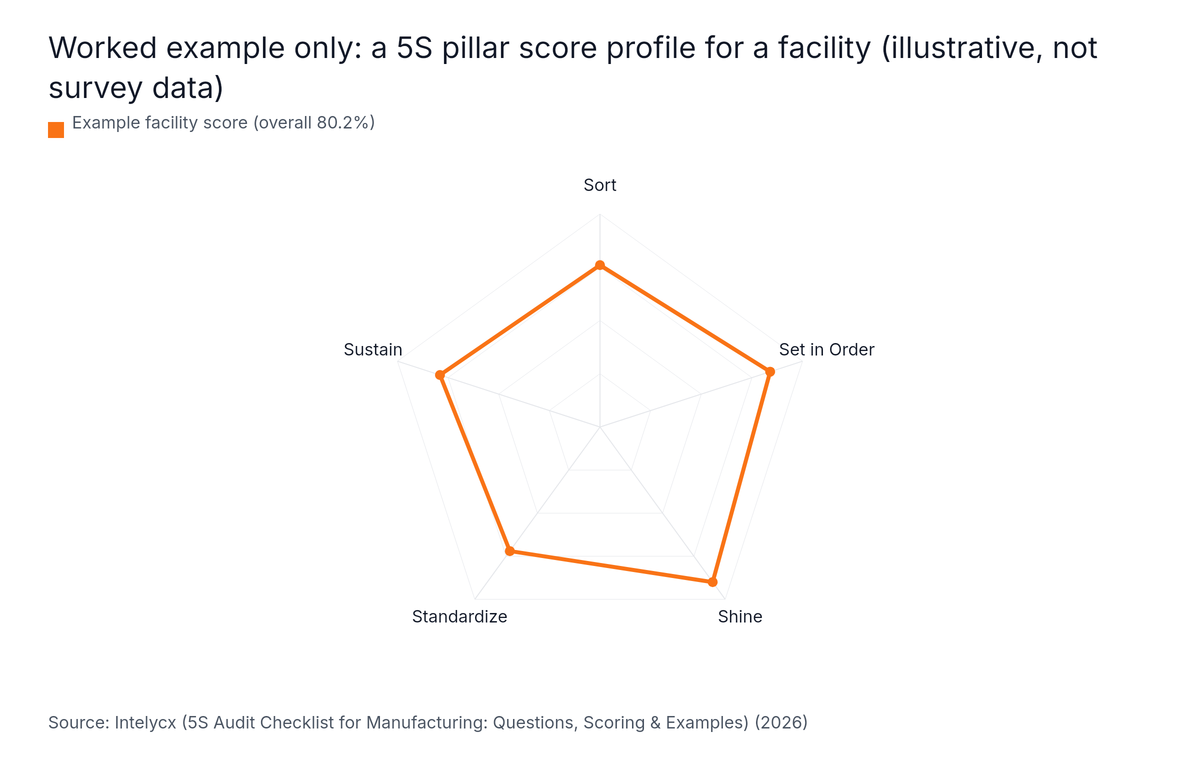
Pillar-level reading matters too. In an illustrative worked example (Intelycx, 2026), a facility's pillar profile reads Sort 76, Set in Order 84, Shine 90, Standardize 72 and Sustain 79. These are example figures, not survey data. Read by pillar, the weak points are Standardize and Sort. An overall average would hide them.
Radar chart: Worked example only: a 5S pillar score profile for a facility (illustrative, not survey data). Highest: Shine at 90%.
A strong overall score with a 2 on Sustain usually means the area is coasting on a recent clean-up. Trend by pillar, by area and by auditor, not only the total.
How do you move 5S scores off paper without losing the history?
Moving 5S scores off paper works best as a parallel run: keep your existing scoring scale, rebuild the scoresheet as a digital template, assign fixed area IDs, and run paper and app together for one evaluation cycle. As of 2026, 59% of manufacturers actively use smart manufacturing technologies and only 18% remain in pilot mode (Rockwell Automation, 2026).
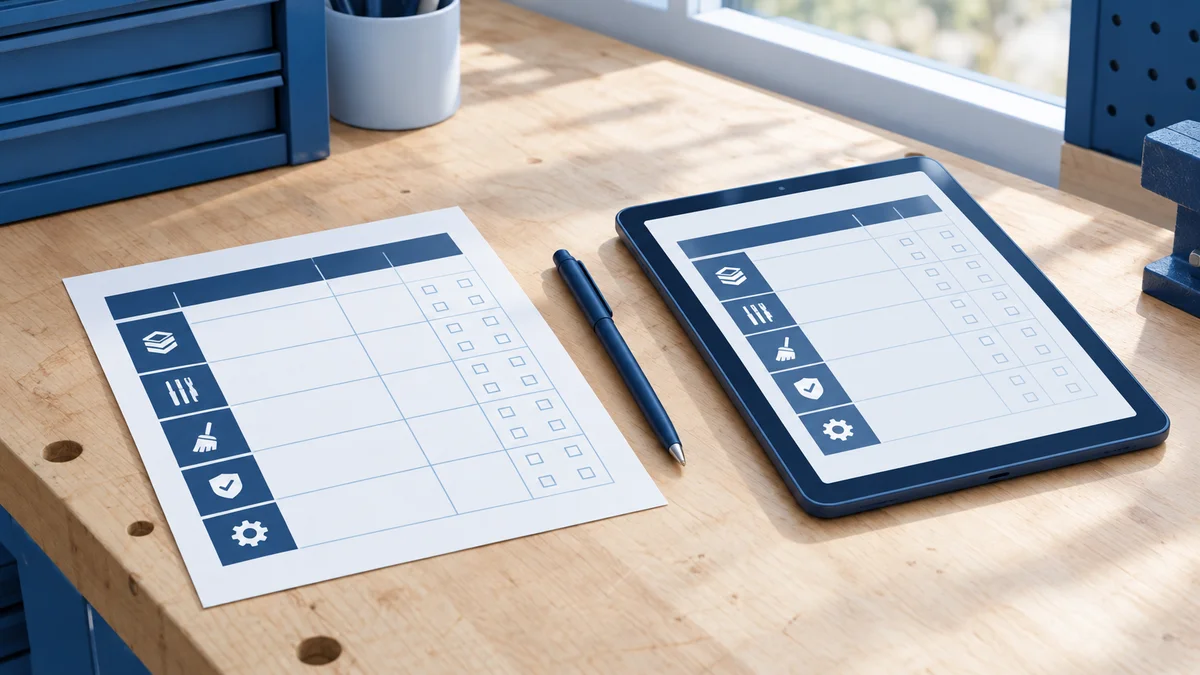
A paper scoresheet and a tablet on a bench with a pen, representing a parallel run of paper and digital audits
Digital 5S is therefore a mainstream step, not an experiment. Even so, extensive digitization is rare. In 2025, only 2% of manufacturers reported being extensively digitized, expected to surge to 38% within two years (Manufacturing Leadership Council, 2025).
Deloitte's 2025 survey summarises the stage most teams are in: "The focus today is on establishing the smart manufacturing technology and data foundations" (Deloitte, 2025). A 5S scoresheet is a small, safe place to build that foundation.
Steps for the changeover
Freeze the scale. Copy the current scoring scale and weightings exactly, so old and new scores stay comparable.
Fix area IDs. Give every bay, store and bench one ID before the first digital audit.
Build the template. Rebuild the paper sheet as a digital checklist, with a photo required for any score below your pass mark.
Run both for one evaluation cycle. Score on paper and in the app for the same areas, and compare results to catch scale drift.
Enter only trusted history. Add area totals by date that you can verify. Archive the rest.
Retire the paper sheet. Switch off paper once both records agree.
A 5S audit app does not fix a weak audit design. If areas are tidied before announced visits, auditors score differently, or nobody acts on a falling Sustain score, a digital record stores the same distortion more neatly. Even in 2026, extensive digitization is limited to 11% of respondents (Manufacturing Leadership Council, 2026), so honest audits still matter.
Limits to plan around
Staged audits. Self-scored results can run far above a fresh independent audit. Use unannounced visits for some areas and weight improvement over absolute score.
No independent proof for 5S specifically. The third-party figures in this article describe manufacturing in general. Vendor claims such as "40% faster" could not be traced to an original study, so we have not used them.
Field adoption. If the tool is slow on site, auditors will keep a parallel paper record and the data loses value. Test it in two real site visits.
Who this is not for
A single small workshop with one auditor and no standards audits may get little from an app. A well-kept paper log with a monthly photo might be enough. The case builds with site count, audit frequency and the need to compare 5S with other results. See when spreadsheets break down in a dealer audit system for the signs.
Frequently Asked Questions
We want 5S scores to sit alongside our standards audit results rather than in a separate file: is that something 5S software handles?
Yes, 5S software can keep 5S scores beside standards audit results when both audits run on one platform with a shared site and area structure, one scoring scale and one corrective-action log. Management then reads a workshop's 5S trend next to its Dealer Operating Standards result in a single drill-down view instead of opening a separate file.
I need to show our workshops what good and bad 5S look like: what makes a useful example?
A useful 5S audit example is a photo of a real bay in your own workshop, paired with a score, the S it belongs to and a one-line reason. Show a good and a bad case for each score point, plus the awkward ones: a red-tag log, a shadow board gap and a missing sign-off.
Can a 5S audit app work offline on the shop floor?
A 5S audit app can work offline if it is built offline-first, meaning the auditor keeps scoring and capturing photos with no connection and the data syncs when signal returns. Workshops often have poor coverage in bays and basements, so test offline mode during a real site visit before you commit.
What should we do with historic paper 5S scores when moving to an app?
Keep historic paper 5S scores as a reference and enter only the totals per area and date that you can trust. Do not force old sheets into the new system line by line. Keep the same scoring scale in the digital template so new scores stay comparable with the old ones.
Conclusion
Paper 5S scores fail at the join, not at the audit. The sheet is filed, retyped late or never entered, and nobody can see the trend. A 5S audit app fixes the join by storing each score with area, date, auditor and photo. The takeaways:
Store every score against a fixed area ID, scale and date.
Put 5S next to standards audit results in one hierarchy, with one action log.
Use local photo anchors and calibrate auditors twice a year.
Run paper and app in parallel for one evaluation cycle before cutover.
Keep unannounced visits, because an app cannot stop staging.
To see 5S and standards results trended in one place, Schedule a Free Demo. For more on running the audits themselves, read about field audit software for dealer networks.
Written by
Naseef Umar
Founder | CEO
Naseef Umar is an automotive industry expert and the Founder & CEO of AutoSmart, with over a decade of experience working across automotive operations, dealer standards, network performance, audits, and digital transformation.
Company
KERALA Full Address - Pulikillam W Rd, Kakkanad West, Chembumukku, Edappally, Kochi, Kerala 682030; DUBAI Full Address - Dubai Silicon Oasis, UAE

 Naseef UmarOct 26, 2026