

















The challenge
How a claim gets rejected
Most rejected claims could have been caught before they were sent. Here is the usual path.
Step 1
The repair
The work is done and the repair order is closed.
Step 2
The claim
The claim is typed up from the repair order, with a different mileage or job code.
Step 3
The part
The replaced part isn’t tagged, and it’s thrown away.
Step 4
The review
The manufacturer finds the mismatch and the missing part.
Months later
The chargeback
The claim is rejected or charged back, months after the repair.
How it works
Four checks before every claim
Your warranty checklist runs on a phone before the claim is sent.
Claim matches the repair order
VIN, mileage, job codes and dates checked against each other.
Retained parts
Each replaced part tagged, photographed and stored for the review.
Labour times
The auditor checks the times claimed against the manufacturer’s standard times.
Documents
Repair order, customer signature and photos attached.
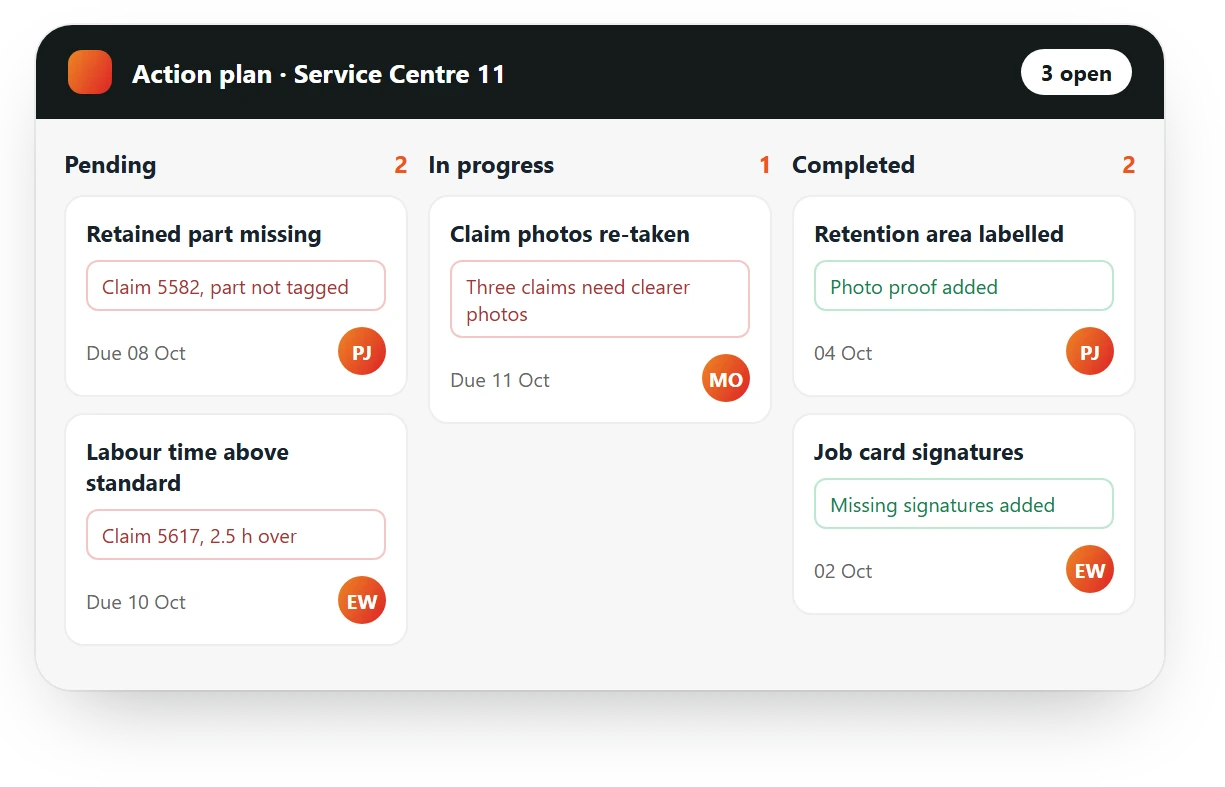
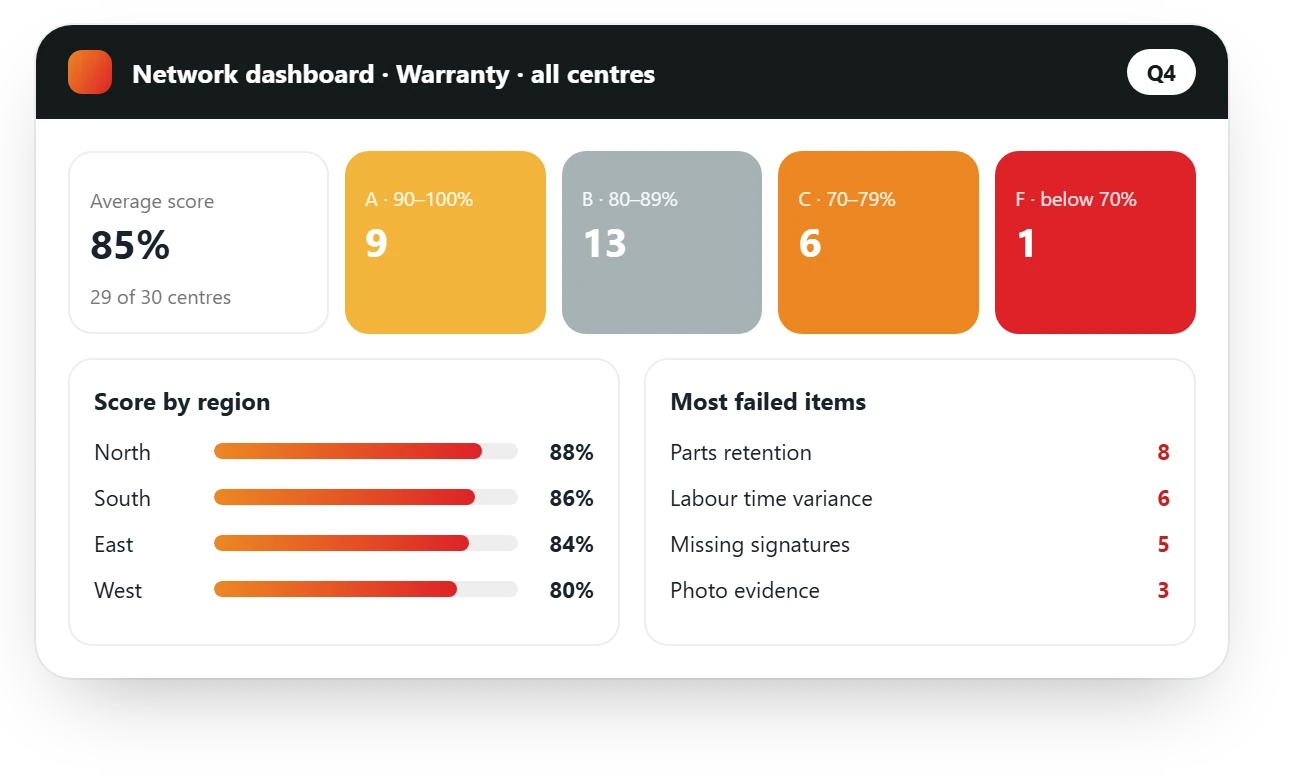
Every error becomes an action with a person in charge, fixed before the claim goes out. The dashboard shows each centre’s warranty score and the errors that keep coming back.
Results
Results from AutoSmart customers
Before and after
Claim by claim
| Item | Before | With AutoSmart |
|---|---|---|
| When errors are found | By the manufacturer, after submission | By your team, before submission |
| Retained parts | Stored somewhere, maybe | Tagged and photographed, ready for the review |
| Repeat errors | Fixed claim by claim | Seen across centres, fixed in the process |
| Manufacturer review | A scramble to find the documents | Every centre ready, with the evidence in one place |
What gets audited
What warranty audits cover
Teams check each claim and the warranty process behind it.
Claim accuracy
- Repair order match
- VIN and mileage
- Job codes
Parts retention
- Tagged and stored parts
- Retention period
- Photo evidence
Labour times
- Times against standard
- Technician records
- Variance notes
Documentation
- Signed job cards
- Customer authorisation
- Supporting photos
Process
- Claim preparation steps
- Submission checks
- Rejection follow-up
Manufacturer review
- Review readiness
- Previous findings closed
- Your own scoring
Who it’s for
Built for the teams that manage warranty
Quality and compliance
Check claims against one warranty standard before they are submitted.
Field operations
Review each centre’s warranty process on the visit and agree the fixes.
Network development
See which centres reject most often and why, across the network.
FAQ
Warranty audit software: common questions
What is warranty audit software?
Warranty audit software checks warranty claims and the process behind them against one checklist: claim accuracy, parts retention, labour times and documents. Errors become tracked actions before the claim is submitted.
Can we use the manufacturer’s requirements?
Yes. The manufacturer’s warranty requirements become checklist items with the evidence they need.
How is parts retention checked?
Auditors record each retained part with a photo against its claim, so missing parts are found before the review.
Does it work offline?
Yes. Audits can be completed offline and upload automatically once the device is back online.
How do errors get fixed?
Each error becomes an action with a person in charge and a due date, tracked until it is closed with proof.