















Overview
What are roles and permissions in AutoSmart?
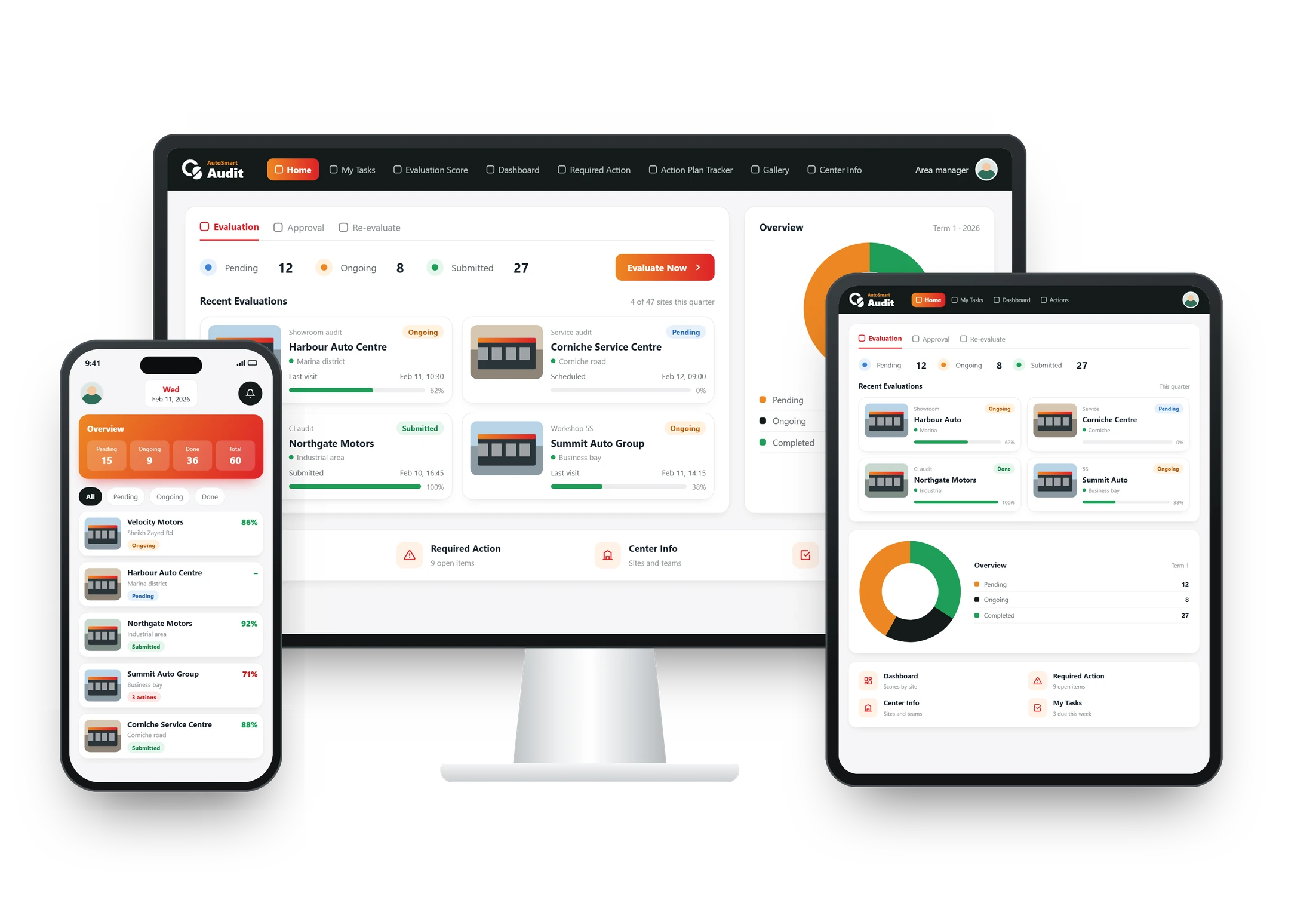
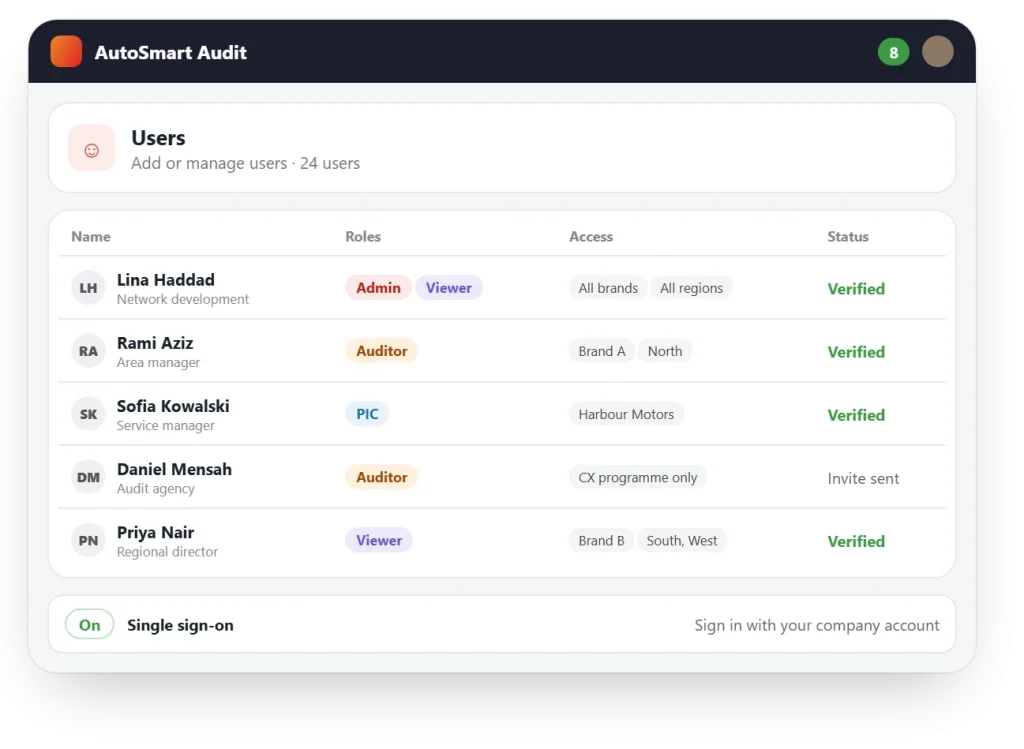
Roles and permissions decide what each user can see, edit and approve. In AutoSmart you set up your brands, regions and outlets once, give users a ready-made or custom role, limit their view by brand, location or audit programme, and let them sign in with single sign-on.
At a glance
Included in Standard roles on every plan; custom roles and SSO from Enterprise
Users Unlimited, on every plan
Hosting Cloud or on-premise
Results
Results from AutoSmart customers
85%
Less time per facility audit at MG Motors MEA, down from 5–7 days to 1
Key capabilities
The right view for every user
One platform for the whole organisation, with each team seeing only what is theirs.
Your network, mapped once
Create and manage your dealers, locations and outlets in one place, and run several brands, countries or distributor groups under one parent account with separate data.
- Dealer and centre management
- Multi-brand, multi-region hierarchy (Enterprise)
Roles that fit your teams
Start with ready-made roles (ASM, ZSM, DDH, aftersales director and auditor), or define your own and control what each can see, edit and approve.
- Standard roles on every plan
- Custom roles and granular permissions (Enterprise)
Access by brand, region or programme
Limit each user to the brands, branches, departments or audit programmes they are responsible for, and give outside audit agencies limited access.
- Visibility by location or department
- External agency auditor access (Enterprise)
Secure sign-in and hosting
Users sign in through your corporate identity provider, and the platform runs on cloud or on-premise, with a choice of where data is hosted.
- Single sign-on via SAML or OAuth (Enterprise)
- Data residency options (Enterprise)
What’s included
Everything in network, roles and security
Network
- Dealer and centre management
- Multi-brand, multi-region hierarchy
- Unlimited users on every plan
Access
- Standard roles
- Custom roles and granular permissions
- Limited access for audit agencies
Security
- Single sign-on (SSO)
- Cloud or on-premise
- Data residency options
Where it’s used
Where teams manage large networks
FAQ
Roles and permissions: common questions
Which roles come ready-made?
Every plan comes with standard roles for ASM, ZSM, DDH, aftersales director and auditor.
Can access be limited by brand, location or programme?
Yes. Permissions can be set by role, access level, location or department, and users can be limited to the brands, branches or audit programmes they are responsible for.
Can one account cover several brands and regions?
Yes. From the Enterprise plan, several brands, countries or distributor groups run under one parent account with separate data.
Does AutoSmart support single sign-on?
Yes. From the Enterprise plan users can sign in through your corporate identity provider via SAML or OAuth.
Is AutoSmart available on cloud and on-premise?
Yes. AutoSmart supports cloud or on-premise deployment, based on your IT and compliance requirements.