














Overview
What is an audit checklist builder?
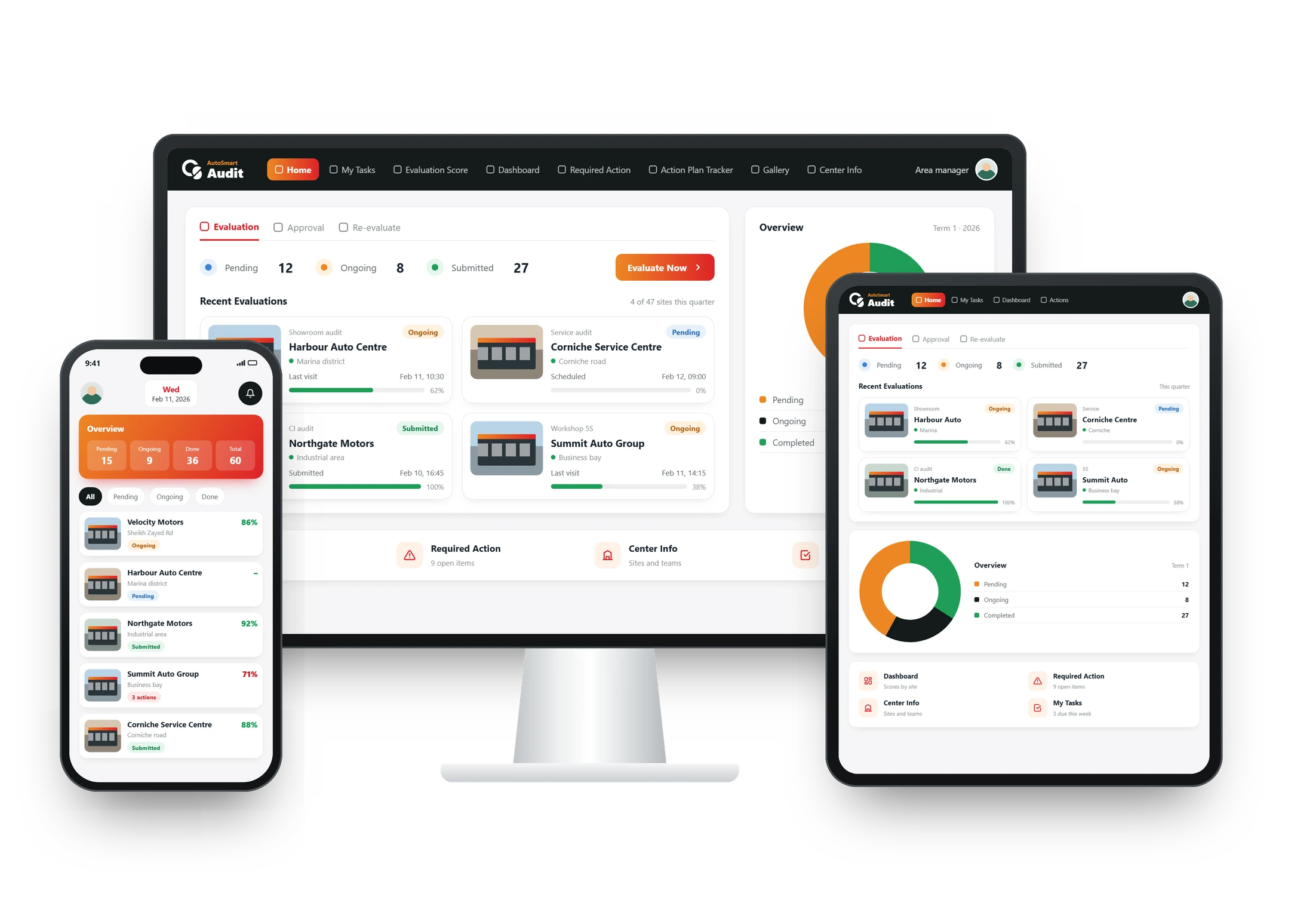
An audit checklist builder turns your own standard into a digital checklist: sections, questions, weights and grades. In AutoSmart you can start from a ready-made template or build from scratch for an OEM, brand or regulatory standard, then run it in recurring evaluation cycles across every outlet.
At a glance
Included in Ready-made checklists on every plan; the builder from Growth
Where Built by admins; run on the mobile application
Languages Multi-language checklists from Enterprise
Results
Results from AutoSmart customers
Key capabilities
Your standard, as a scored checklist
Build the checklist once and every auditor, outlet and cycle uses the same standard.
Capability 1
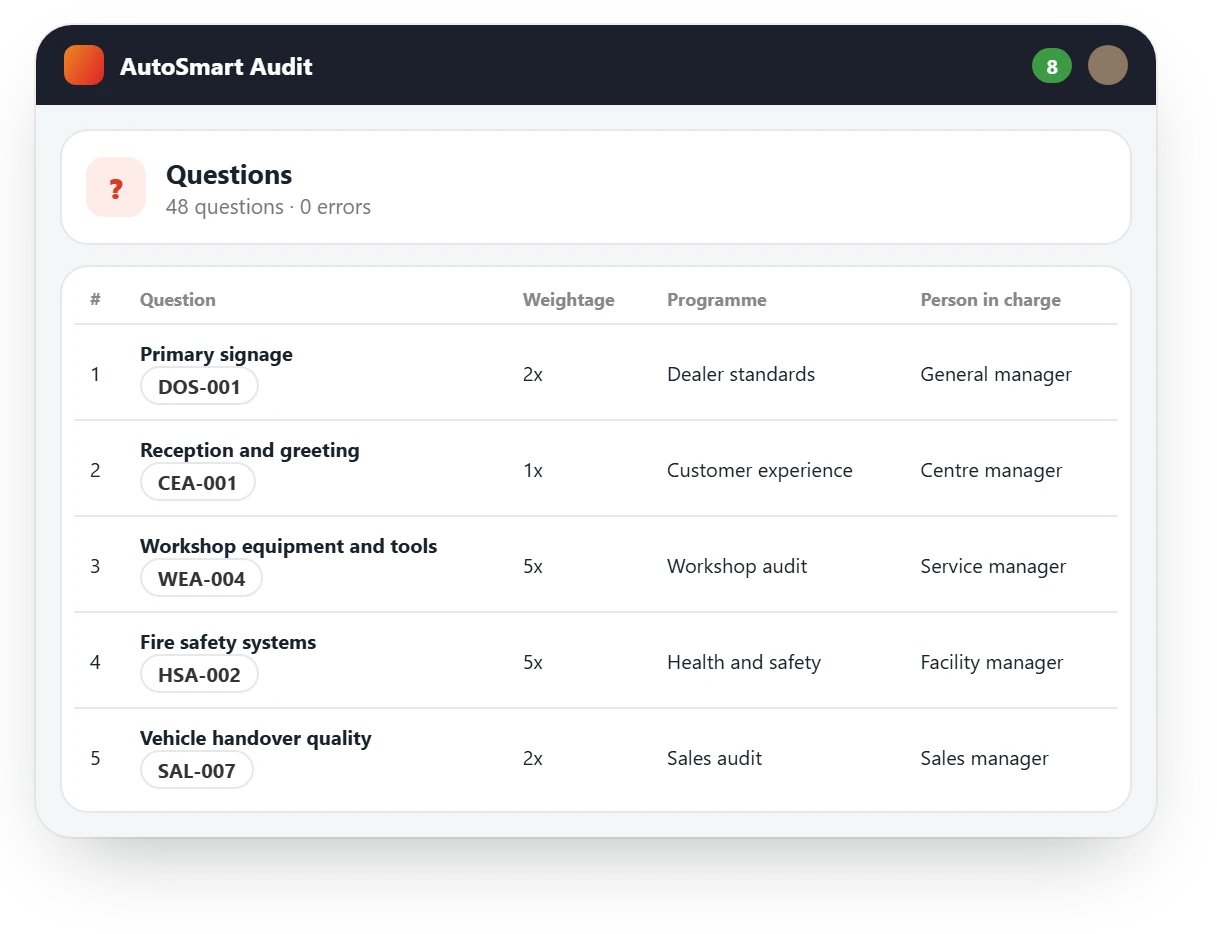
Build from your own standard
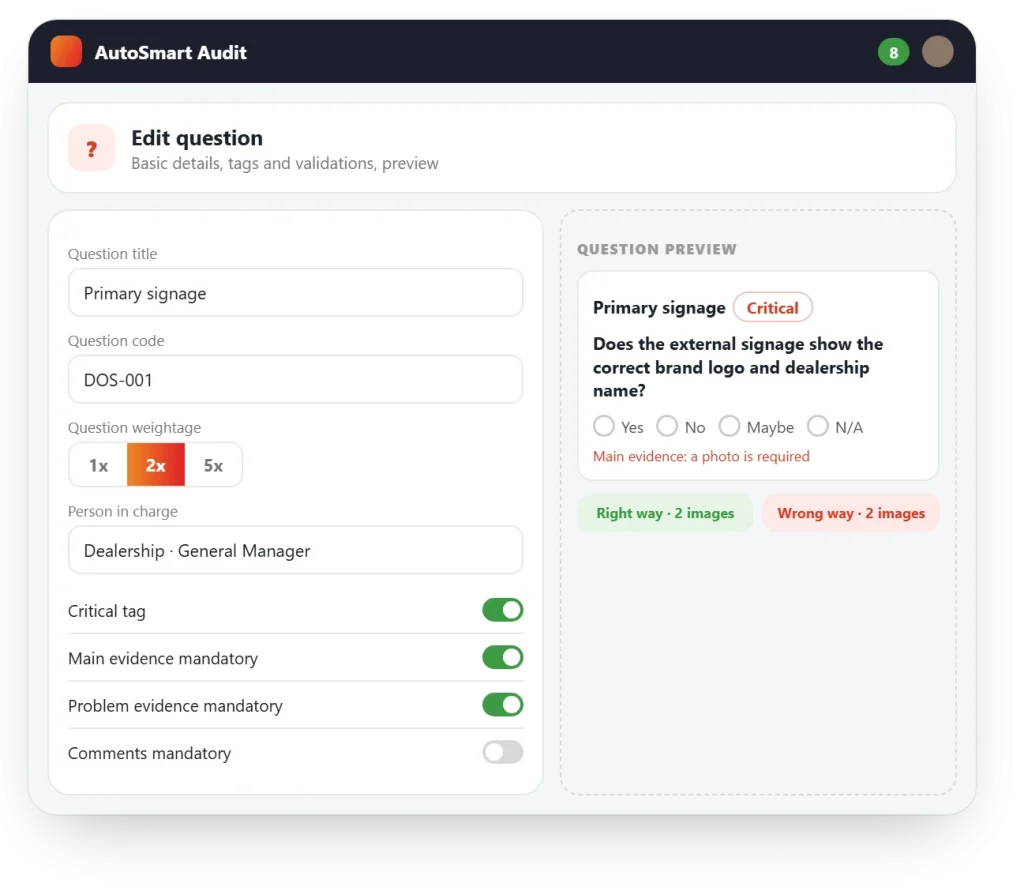
Write your own sections and questions, or start from a ready-made template for Dealer Operating Standards, 5S, safety or health and environment, and change any of it.
- OEM, brand and regulatory standards (SASO, ESMA)
- Every template fully editable
- Guides and reference images on each question
Capability 2
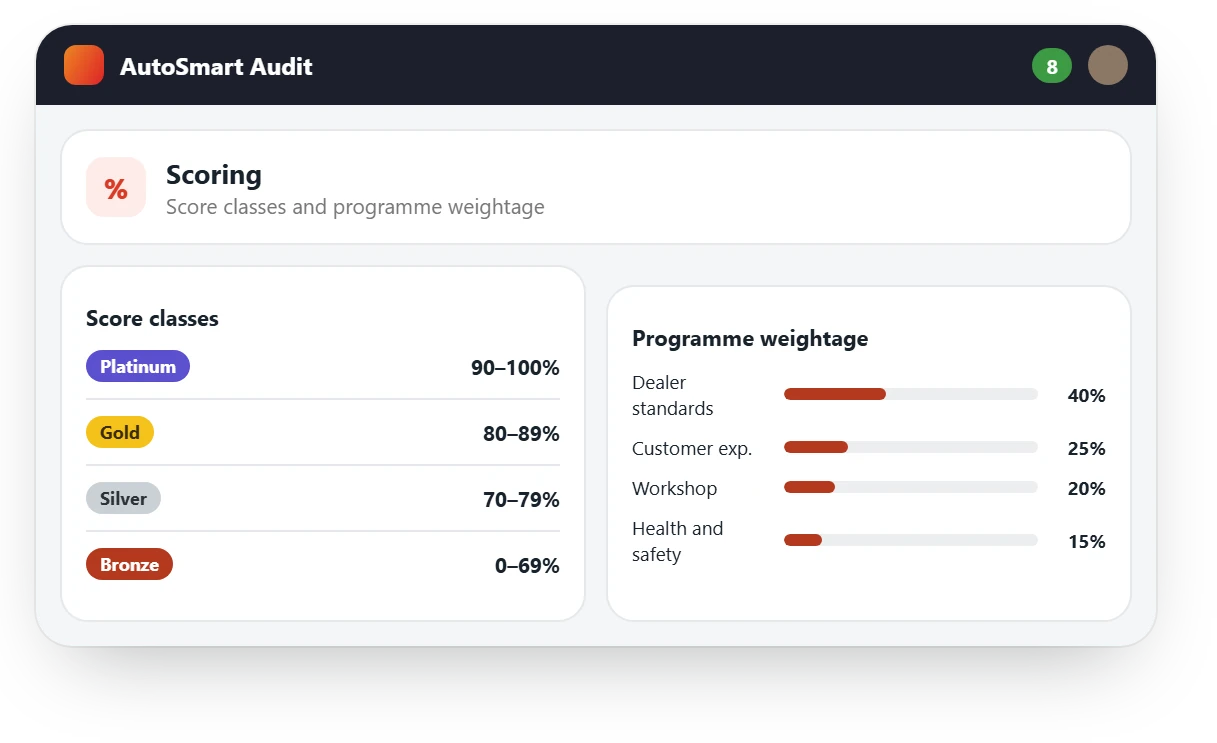
Score it your way
Give sections and questions their own weights. Scores and grades are worked out automatically, with your own grade bands.
- Weighted scoring
- Automatic scores and grades
- Your own bands, for example 91–100 Gold
Capability 3
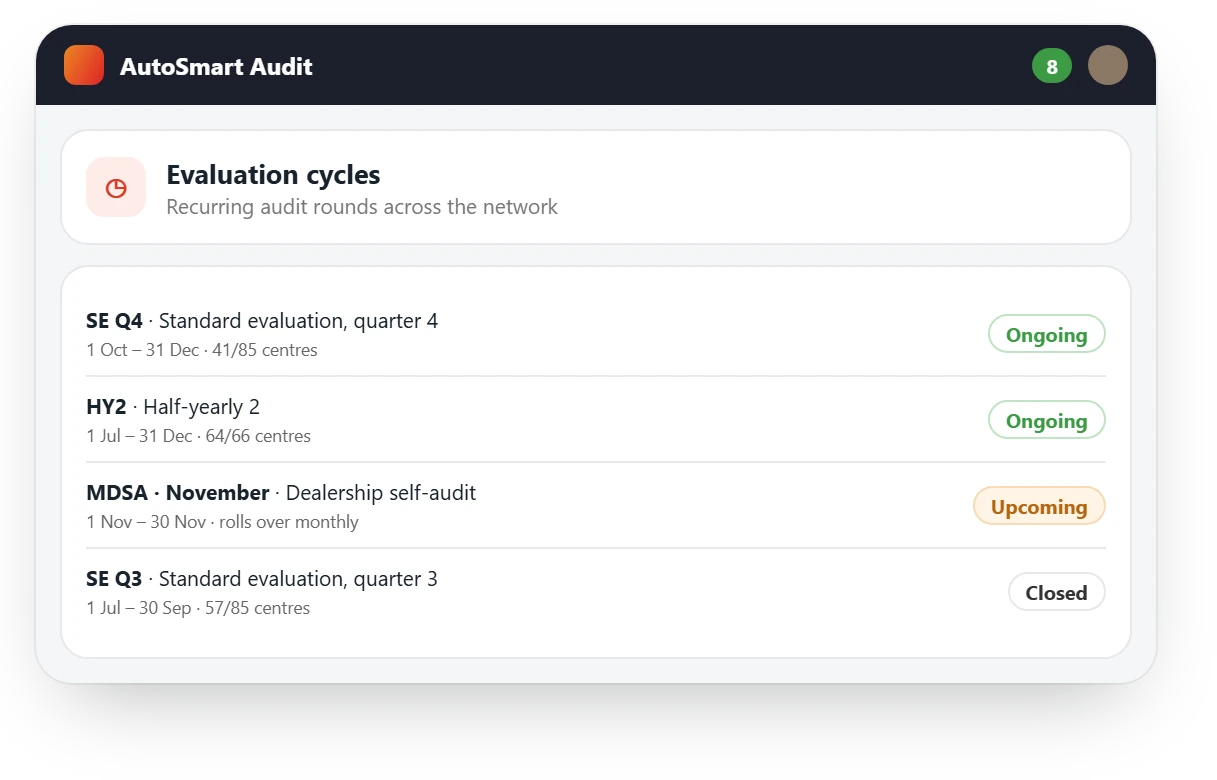
Run it in cycles
Schedule recurring audit rounds, monthly, quarterly or yearly, and run several audit programmes side by side across the same network.
- Evaluation cycles that roll over on their own
- Several programmes in parallel
- A live preview before you publish
What’s included
Everything in the checklist builder
Build
- Custom checklist builder (Growth)
- Ready-made templates on every plan
- Users with permission can build their own checklists
Score
- Weighted scoring and grading (Growth)
- Your own grade bands
- Infrastructure, people and process programmes in parallel
Run
- Evaluation cycles (Growth)
- Multi-language checklists (Enterprise)
- Live preview of each question
Where it’s used
Where teams build their own checklists
FAQ
Audit checklist builder: common questions
Can we turn our paper or Excel checklist into a digital checklist?
Yes, and our team does most of the work with you. Our solution specialists and customer success team help with the whole move, from creating your templates and importing data to training your users. AutoSmart Audit can be configured and live in 3 to 5 business days; larger roll-outs with training and custom workflows can take 2 to 4 weeks.
How many checklists can we build?
There is no limit: unlimited checklists are included, so you can run as many audit programmes as your network needs. Ready-made checklists for Dealer Operating Standards, 5S, safety and health and environment are ready to run on the mobile application, and you can also build your own from scratch, with your own sections, questions, weighted scoring and evaluation cycles.
Can we build survey checklists as well as audits?
Yes. With the right permissions, users can build and manage their own audit or survey checklists for their own needs, so a regional team does not have to wait for head office to set one up. Admins decide who has that permission, and every checklist runs on the same mobile application your auditors already use.
Can one checklist run in more than one language?
Yes. Multi-language checklists deliver the same checklist in several languages, so regional and international networks audit every outlet against one standard while each auditor reads the questions in their own language. Because it is the same checklist, results stay comparable across countries, and you only have to maintain one version of your standard.
Which parts of an outlet can a checklist cover?
Checklists can cover every key area of a dealership: brand compliance, facility checks, workshop operations, reception, tools, safety, accessories display and process adherence. You can also run infrastructure, people and process programmes side by side across the same network, each with its own checklist, weights and grades.
Can a checklist question ask for a photo or a document as proof?
Yes. You choose which questions need a photo, even when the answer is compliant, and auditors can attach PDFs and other files as evidence alongside photos and notes. Each question can also carry a guide with benchmarks, sample photos and reference documents, so auditors know what proof is expected and every outlet is judged the same way.
Can we use one checklist across several brands or regions?
Yes. Build the checklist once and every auditor, outlet and cycle uses the same standard. Results can then be split by brand, location, region or outlet type, and several brands, countries or distributor groups can run under one parent account with their data kept separate. Permissions limit each user to the brands, branches or audit programmes they are responsible for.