Features
Audit software features to plan, do, check and act
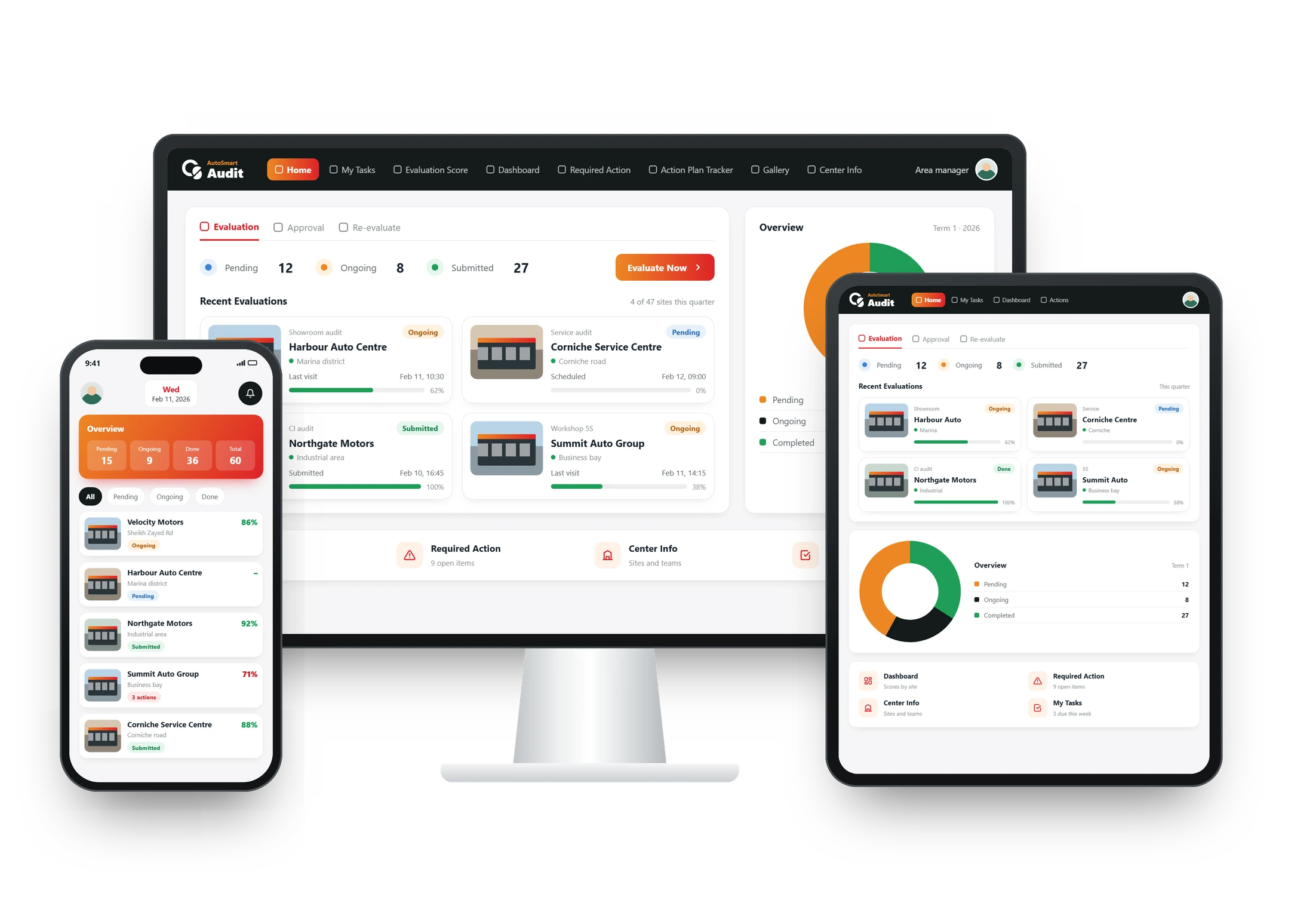
Everything AutoSmart Audit does, in one platform: checklists your way, audits on any phone with or without signal, photo evidence, actions that get closed, live dashboards and AI that takes the busywork out.
Trusted by teams across 4,000+ outlets in 35+ countries
















All features
One platform, 7 features that work together
Each feature is part of the same AutoSmart Audit application and dashboard. Filter by the stage of the audit, or open a feature to see how it works.
-
Plan
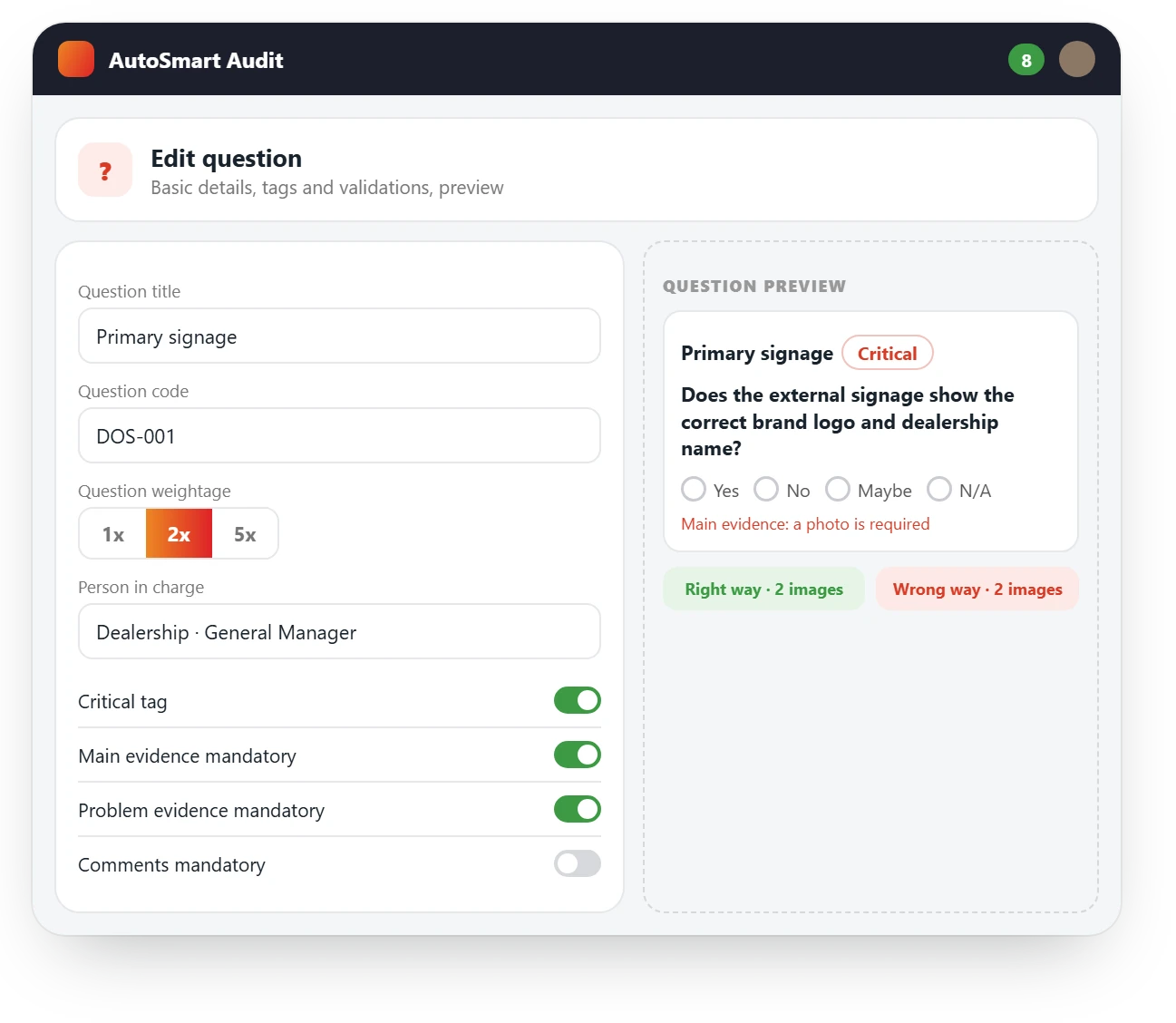
Checklist builder and scoring
Build checklists from your own standards, with weighted scoring, your own grades and evaluation cycles. Audit checklist builder -
Plan
Network, roles and security
Multi-brand, multi-region hierarchy, custom roles, access by brand, region or programme, and single sign-on. Roles and permissions -
Do
Mobile and offline audits
Audits on any phone or tablet, with full offline mode and automatic upload when the signal returns. Offline audit app -
Do
Photo evidence
Photos and notes on every answer, required where it matters, camera-only and with the location of every photo. Audit photo evidence -
Do
AI-powered evaluations
Voice AI, AI photo checks, suggested corrective actions and Ask AI for setup questions. AI-powered evaluations -
Check
Dashboards and reports
A live dashboard for the whole network, with period comparisons and PDF and Excel exports. Audit reporting dashboard -
Act
Action tracking
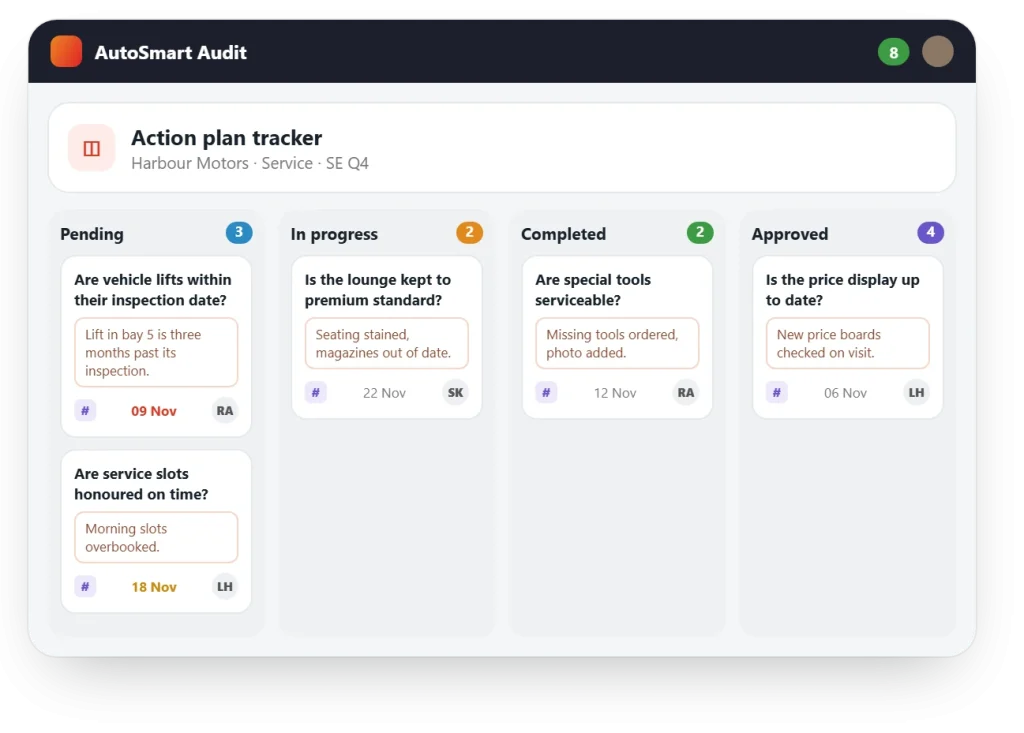
Every failed item becomes an action with a person in charge and a due date, tracked from Pending to Approved. Corrective action tracking
In focus
Flagship feature
Flagship feature
Action tracking
Every failed item becomes an action with a person in charge and a due date, moves from Pending to Approved on a Kanban board, and escalates on its own when it runs late.
Corrective action trackingHow it fits together
From the first checklist to the last closed action
Every audit follows the Plan-Do-Check-Act (PDCA) cycle. Each feature does its part in one stage, and they all share the same data.
-
Plan
Set up your network, users and standards: the checklists, scoring and who sees what.
Features Checklist builder and scoring Network, roles and security
-
Do
Auditors complete the checklist on the mobile application, online or offline, with photo evidence and AI help.
Features Mobile and offline audits Photo evidence AI-powered evaluations
-
Check
Results reach the dashboard as each audit is submitted, ready to compare outlets and spot the gaps.
Features Dashboards and reports
-
Act
Every failed item becomes an action with a person in charge and a due date, tracked until it is approved.
Features Action tracking
AutoSmart in numbers
- 4,000+ outlets use AutoSmart Audit
- 35+ countries, run from one platform
- 85% reduction in audit time at MG Motors MEA, from 5–7 days to 1 day Read the MG Motors story
Browse
See the features at work, by solution or industry
Solutions All solutions
Industries All industries
FAQ
Features: common questions
Can the same checklist be used in more than one language?
Yes. The same checklist can be delivered in several languages, so regional and international networks audit every outlet against one standard with one scoring method. Each question can also carry guidance, such as ideal benchmarks, visual samples, expected outcomes and reference documents, and the live preview shows exactly how each question will appear on the auditor’s device before the audit goes out.
Can AutoSmart Audit check evidence photos and suggest fixes automatically?
Yes. AI reviews uploaded evidence photos to confirm that the finding matches the image, and an evidence quality check flags blurry, duplicate or reused photos. For each finding, recommended fixes and root causes are drafted automatically. Auditors can also capture responses by speaking instead of typing, with Voice AI, and admins can ask AI how to set up checklists, scoring and roles.
Can a manager approve an action before it is closed?
Yes. Multi-level approvals can require a manager or head office sign-off before an action is marked closed. An action plan can be created by one user, assigned to another to carry out and routed to an approver, and each action moves across Pending, In Progress, Completed and Approved. Automatic email alerts cover assignments, submissions and approvals, and overdue actions are escalated.
Can auditors attach documents or videos as well as photos?
Documents, yes; videos, no. Auditors can attach PDFs, certificates and other files as evidence alongside photos and written notes, and every submission carries its location and time. Photos can be made compulsory for chosen questions, even for compliant answers, and limited to the live camera. Video uploads and barcode scanning are not part of the platform today.
Does AutoSmart Audit connect to our other systems?
All audit data can be exported for BI platforms, data warehouses or other reporting systems, and results, scores and action plans export to Excel and PDF. Dashboards and reports can be emailed to leadership on a schedule. Single sign-on lets users log in through your company’s identity provider via SAML or OAuth, so they use the same company login as your other tools.
How is our audit data kept secure?
Access is controlled by role, brand, region, location, department or programme, so each user sees only what they are responsible for. AutoSmart Audit runs in the cloud on industry-standard, secure database technology, or on your own servers. Single sign-on lets users log in through your company’s identity provider, and data residency options let you choose where your data is hosted.
Can we try the features before we buy?
Yes. You can run a free pilot, and ask for a trial instance with sample data to explore the reports, dashboards and analytics before going live. In a demo we take one of your own audits from the checklist on the phone to the action plan and the dashboard, so you see the features working together. Going live usually takes 3 to 5 business days.
See it all together
Every feature, on one of your own audits
Book a demo and bring the audit you run most: we’ll take it from the checklist on the phone to the action plan and the dashboard.
- Unlimited users and checklists
- Works offline