FAQ
AutoSmart Audit questions and answers
Answers on checklists, evidence, actions, reports, users and set-up.
Getting started and pricing5
Is pricing based on the number of users?
No. Pricing is per outlet, not per user. You can add unlimited users, including auditors, PICs, zone managers, and more users without incurring additional charges.
Can we preview dashboards and reports before we start?
Yes. You can request a trial instance with sample data to explore the reporting suite, dashboard visuals, and analytics features before going live.
How long does it take to go live?
AutoSmart Audit can be fully configured and launched in just 3–5 business days. For larger deployments, including training and custom workflows, implementation can take up to 2–4 weeks.
Do you support migration from Excel or legacy tools?
Yes. Our solution specialists and customer success team help with the whole migration, from creating your templates and importing data to training your users, for a smooth move from your existing tools or systems.
What if we’ve already developed our own internal audit tool?
Many clients have transitioned from in-house or custom systems to AutoSmart due to its higher flexibility, lower maintenance overhead, and rapid evolution. We support seamless migration without disrupting your operations.
Checklists and audits9
Can we create customised audit programmes like SASO, ESMA, or brand-specific audits?
Yes. AutoSmart is fully configurable, allowing you to build audit templates aligned with regulatory frameworks like SASO (Saudi Arabia), ESMA (UAE), or OEM-specific brand standards, ensuring full compliance across markets and regions.
Can auditors preview how a question will appear during the audit?
Yes. Our intuitive audit builder includes a live preview feature that shows exactly how each question will appear on the auditor’s device. This ensures clarity and consistency, minimising confusion during actual audits.
Can we attach audit guidelines or ideal reference formats for questions?
Yes. Each audit question can be enriched with guides that include ideal benchmarks, visual samples, expected outcomes, and reference documents to ensure auditors understand the purpose and standards behind each checkpoint.
Can users create their own checklists?
Yes. With the right permissions, users can build and manage their own audit or survey checklists tailored to specific needs.
Can branches perform self-audits?
Yes. Self-audits can be enabled for selected locations or teams, providing local teams with autonomy while maintaining oversight.
Can audits be paused and resumed later?
Yes. Audits in progress are auto-saved, allowing users to pause and resume without data loss.
Can audits be conducted offline at the dealerships?
Yes. Auditors can work without an internet connection: everything saves on the device and uploads automatically when the signal returns.
What dealership areas does AutoSmart Audit cover?
The platform supports audits for all key dealership areas like brand compliance, facility checks, workshop operations, reception, tools, safety, accessories display, and process adherence.
Is mystery shopping supported?
Yes. You can input outcomes from external mystery shopping programmes, including photo evidence and notes, and view them alongside standard audit results.
Evidence and photos5
What types of evidence can be captured?
Photos and written notes are supported. At this time, barcode scanning and video uploads are not part of the platform.
Can photos be mandatory even for compliant answers?
It can be configured. For self-audits or sensitive checkpoints, you can make image upload mandatory even for compliant answers.
Can photo uploads be required for specific checklist items?
Yes. You can define which questions require mandatory photos, ensuring visual evidence is provided where it matters most.
Can image uploads be restricted to live camera use only?
Yes. The platform can disable gallery uploads, requiring users to capture images directly via the device’s camera for authenticity.
Can photos show where they were taken?
Yes. Each photo can carry its location, so you can check where the evidence was captured during an audit.
Actions and follow-up8
Does every failed item become a task?
Yes. AutoSmart Audit turns every failed item into a trackable task. Each task is assigned a due date, a PIC, and flows through a Kanban-style board (Pending → In Progress → Completed) to maintain visibility and accountability.
Can Person-in-Charge (PIC) be assigned to each audit question?
Definitely. PICs can be mapped at the question level, and AutoSmart automatically notifies them if non-compliance is logged. They can then respond directly with corrective actions, supporting notes, and photographic evidence, all tracked within the system.
Can auditors add a new PIC during an audit if the responsible person isn’t already in the system?
Yes, auditors can quickly add new PICs on the fly during an audit. This feature ensures accurate responsibility mapping, even when roles change or new team members are involved.
How do dealers close findings?
The person in charge updates each action with notes and images. The system automatically escalates unresolved or overdue tasks based on configured rules.
Can action plans involve multiple users for approval?
Yes. An action plan can be created by one user, assigned to another for execution, and then routed to an approver for sign-off, ensuring complete accountability.
Does the platform offer automated escalation for overdue tasks?
Yes. You can set escalation rules based on deadlines, severity, or issue types to ensure follow-ups happen without manual intervention.
Can issues be categorized or coded for tracking?
Yes. Each issue can be tagged with codes or categories, making it faster and easier to generate detailed, filtered reports and trend insights.
Does the system track repeat issues?
Yes. AutoSmart maintains a full issue history, enabling you to monitor recurring problems and highlight persistent non-compliance areas.
Reports and analytics6
Is there a feature to compare improvements between different periods?
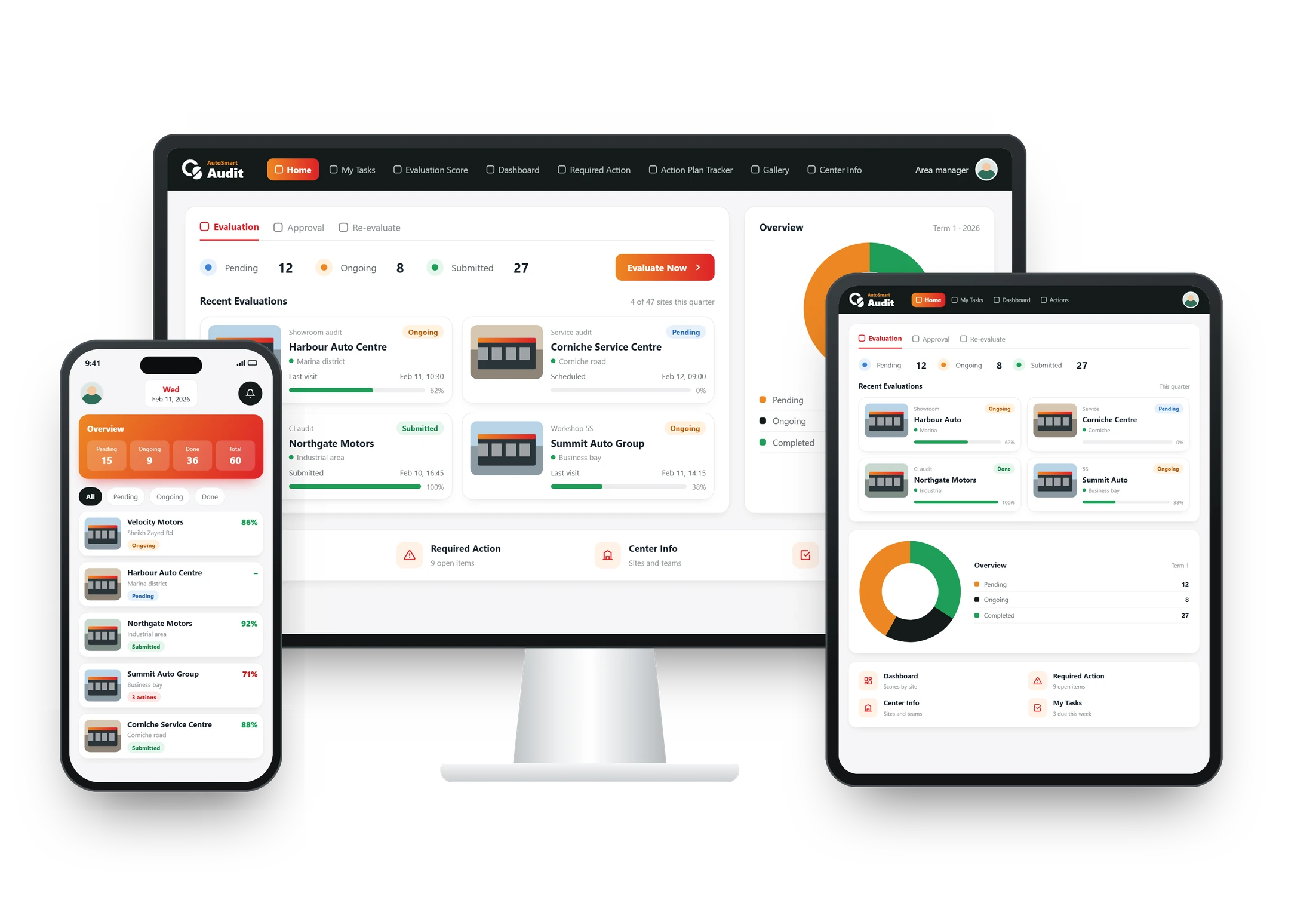
Absolutely. AutoSmart Audit tracks performance across time frames, month on month or quarter on quarter. You can compare Month 1 with Month 2 or Q1 with Q2, spot recurring failures, measure progress, and review the photo evidence and actions taken.
Does the dashboard allow score segmentation like Gold/Silver/Bronze?
Yes. You can define your own scoring brackets (e.g., 91–100 Gold) and segment performance by brand, location, region, or outlet type. This makes benchmarking and performance evaluation highly actionable.
Can report and action plan layouts be customised?
Yes. Layouts for reports, checklists, and action plans can be branded and formatted to match your requirements.
Can I export my data for external reporting?
Yes. All data can be exported for use in BI platforms, data warehouses, or external reporting systems.
How does AutoSmart improve dealer compliance?
Through real-time checklists, automatic scoring, evidence capture, action tracking, and network-wide dashboards, AutoSmart promotes higher accountability and standardised compliance across your dealer network.
Users, roles and security5
Can access be restricted for zone managers or center owners?
Yes. User permissions are highly configurable. You can restrict visibility by department or location to ensure users only see what’s relevant to them.
Can I customize user permissions?
Yes. Permissions can be defined by user role, access level, location, or department to ensure secure and relevant access.
Can access be restricted by brand, location, or program?
Yes. You can limit a user’s access, so they only see the brands, branches, or audit programmes they are responsible for.
Can the system manage multiple business units or brands?
Yes. Whether you manage multiple OEM brands or diverse business entities, AutoSmart lets you oversee them all from a unified platform.
Is the platform suitable for multi-brand and multi-region networks?
Yes. AutoSmart allows segmentation by brand, region, or outlet type, making it ideal for complex, multi-tiered organisations.
Platform and deployment3
Is AutoSmart Audit built on Oracle or a third-party framework?
No. AutoSmart Audit is our own software, built by our team and run in the cloud.
Can AutoSmart run in the cloud or on our own servers?
Yes. We support flexible deployment, in the cloud or on your own servers, based on your IT infrastructure and compliance requirements.
What kind of database technology powers AutoSmart Audit?
We use industry-standard, secure database technologies to ensure reliability, performance, and scalability.
Training and support2
Do you provide manuals or user guides?
Yes. We offer comprehensive documentation for admins, auditors, and managers to help them navigate and use the platform effectively.
Are training videos or live demos available?
Yes. We provide detailed tutorial videos and live demo sessions for set-up and training, as needed.
No matching questions. Try another word, or ask our team.
Still have a question?
See it with your own checklist
Bring your questions to a free demo and see exactly how AutoSmart Audit handles them.
- Unlimited users and checklists
- Works offline