














Overview
What is corrective action tracking?
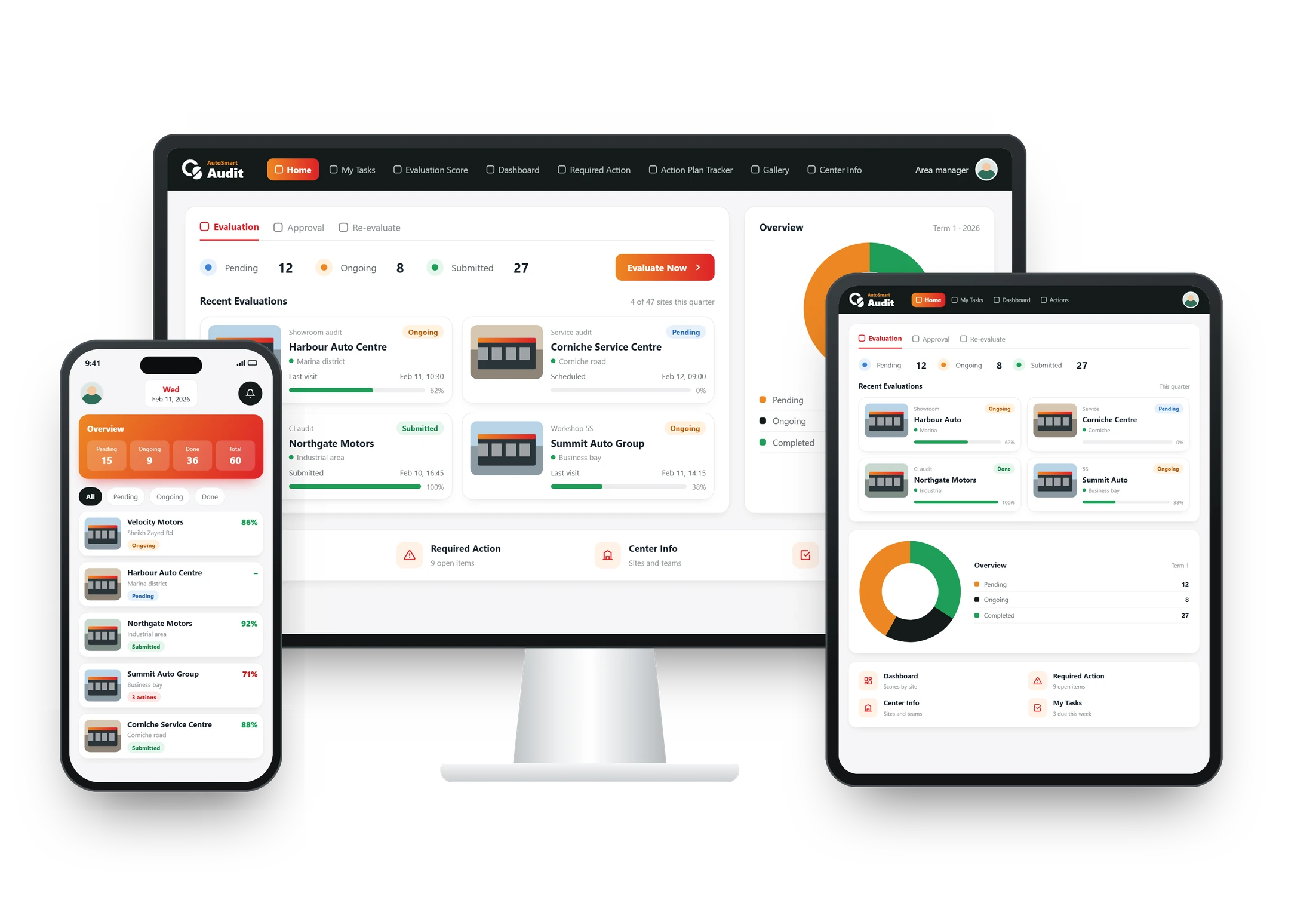
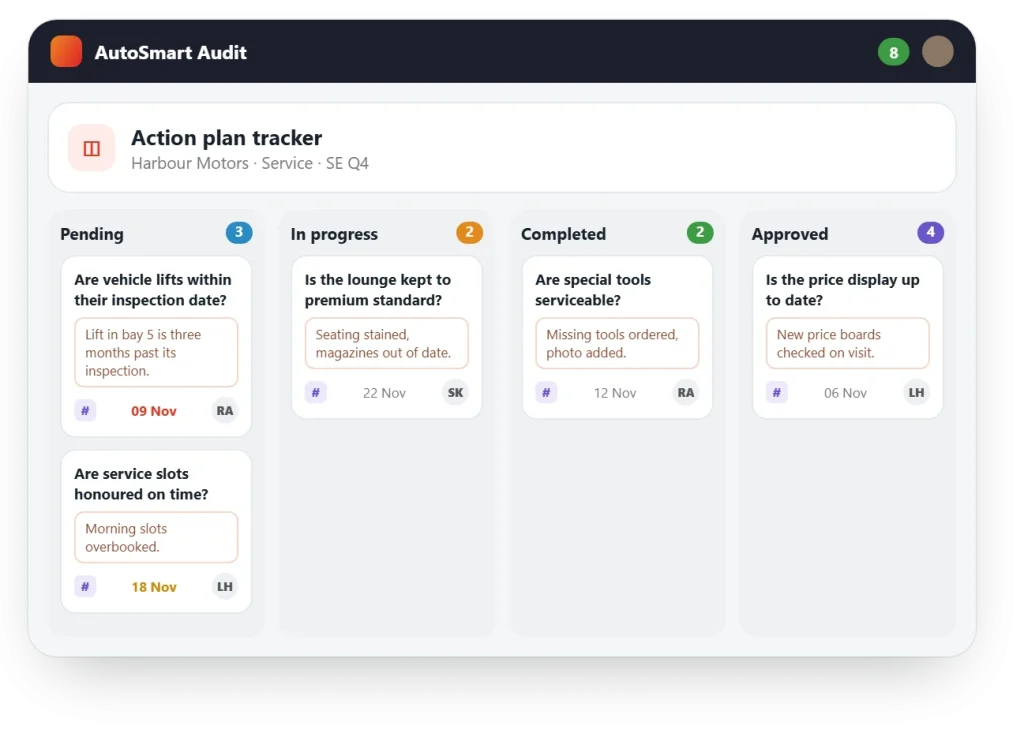
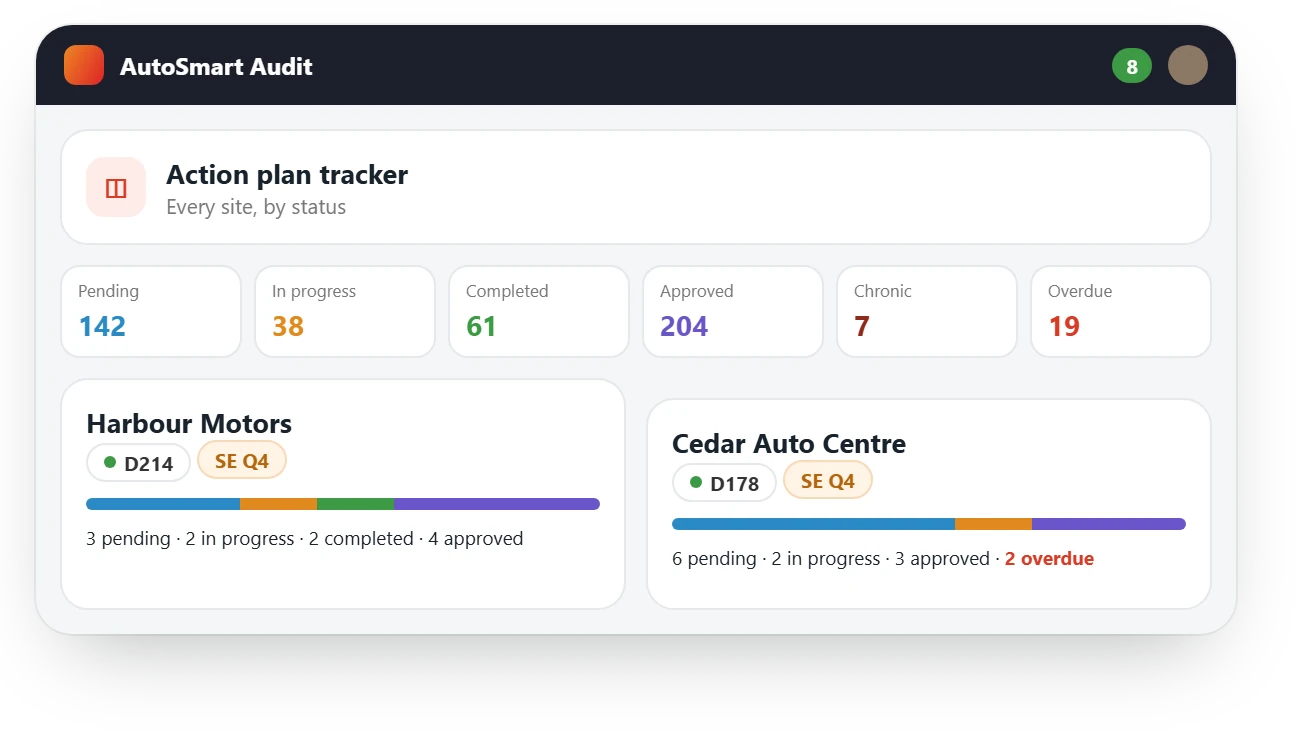
Corrective action tracking follows each audit finding until it is fixed. In AutoSmart every failed item becomes an action automatically, with a person in charge and a due date, moves across a Kanban board from Pending to Approved, and escalates on its own when it runs late.
At a glance
Included in Every plan; escalations from Growth; multi-level approval from Enterprise
Where Action plans on the app and the dashboard
Stages Pending, In progress, Completed, Approved
Results
Results from AutoSmart customers
85%
Less time per facility audit at MG Motors MEA, down from 5–7 days to 1
Key capabilities
From finding to fix, without chasing
The action plan writes itself during the audit, and the site owns it from there.
Capability 1
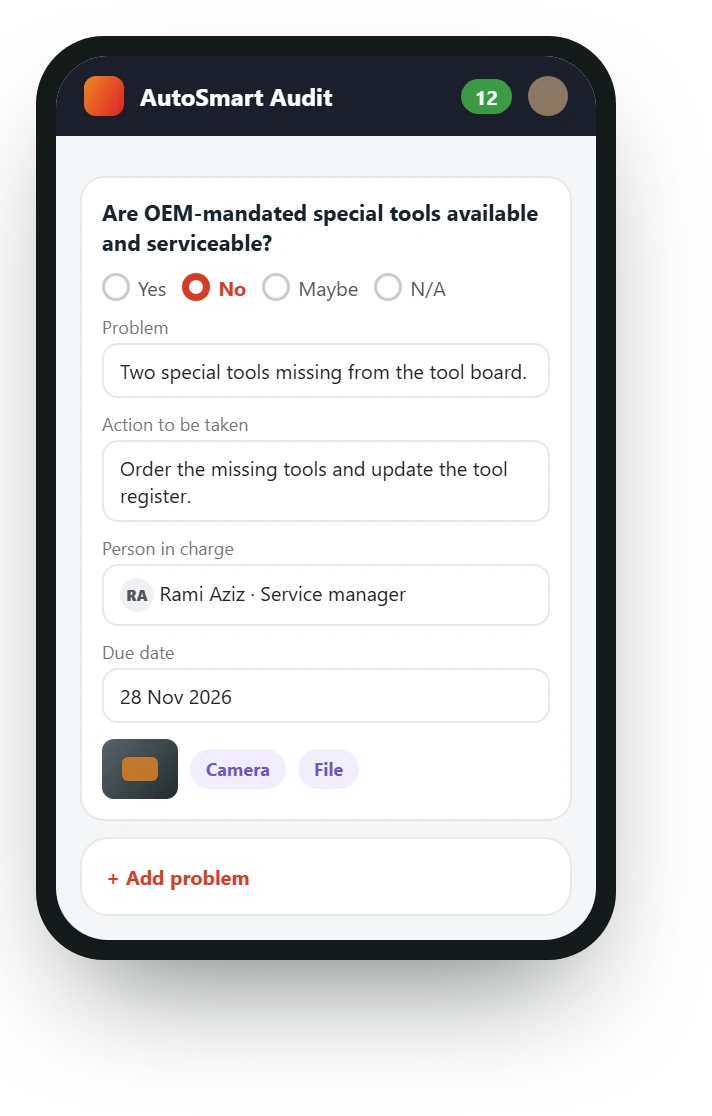
An action for every failed item
Every non-compliance becomes a tracked action automatically, with a person in charge and a deadline set at the point of audit.
- No manual follow-up lists
- A person in charge per question
- New owners added mid-audit
Capability 2
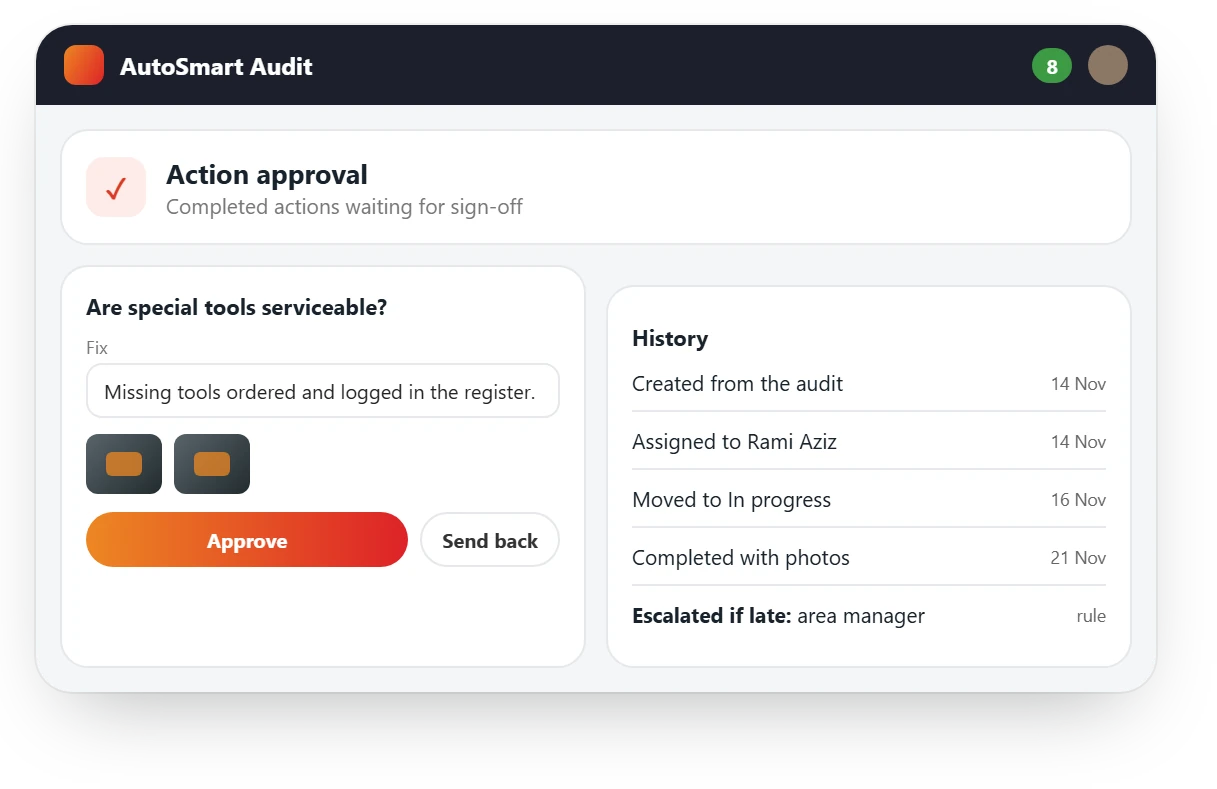
Tracked to sign-off
Owners update each action with notes and photos as it moves across the board, and it closes only when it is approved.
- Pending, In progress, Completed, Approved
- Notes and photo proof of the fix
- One user creates, another fixes, a third approves
Capability 3
Escalated when it runs late
Escalation rules notify the right people when an action passes its due date, by deadline, severity or issue type.
- Overdue alerts
- Rules by deadline, severity or issue type
- Repeat issues tracked over time
What’s included
Everything in action tracking
Create
- Automatic action plans on every plan
- A person in charge and a due date per finding
- Issue codes and categories
Track
- Kanban action tracker
- Notes and photos from the owner
- Email alerts for assignments and approvals
Close
- Escalation rules and overdue alerts (Growth)
- Multi-level approval (Enterprise)
- AI-suggested corrective actions (AI plan)
Where it’s used
Where teams track corrective actions
FAQ
Corrective action tracking: common questions
What is corrective action tracking?
Following each audit finding until it is fixed. In AutoSmart every failed item becomes an action with a person in charge and a due date, tracked until it is approved.
Who owns each action?
A person in charge can be set on each question and is notified when a non-compliance is logged. Auditors can add a new person in charge during the audit.
What stages does an action go through?
Pending, In progress, Completed and Approved, on a Kanban board.
What happens when an action is late?
Escalation rules notify and escalate automatically when an action passes its due date. Rules can be set by deadline, severity or issue type.
Can more than one person approve an action?
Yes. An action can be created by one user, done by another and approved by a third, and from the Enterprise plan manager or head office sign-off can be required before it closes.